Deploy Without Fear
The complete feature management platform that makes releases boring. Deploy code continuously, test safely in production, and roll out features with zero risk. Trusted by teams that ship fast.
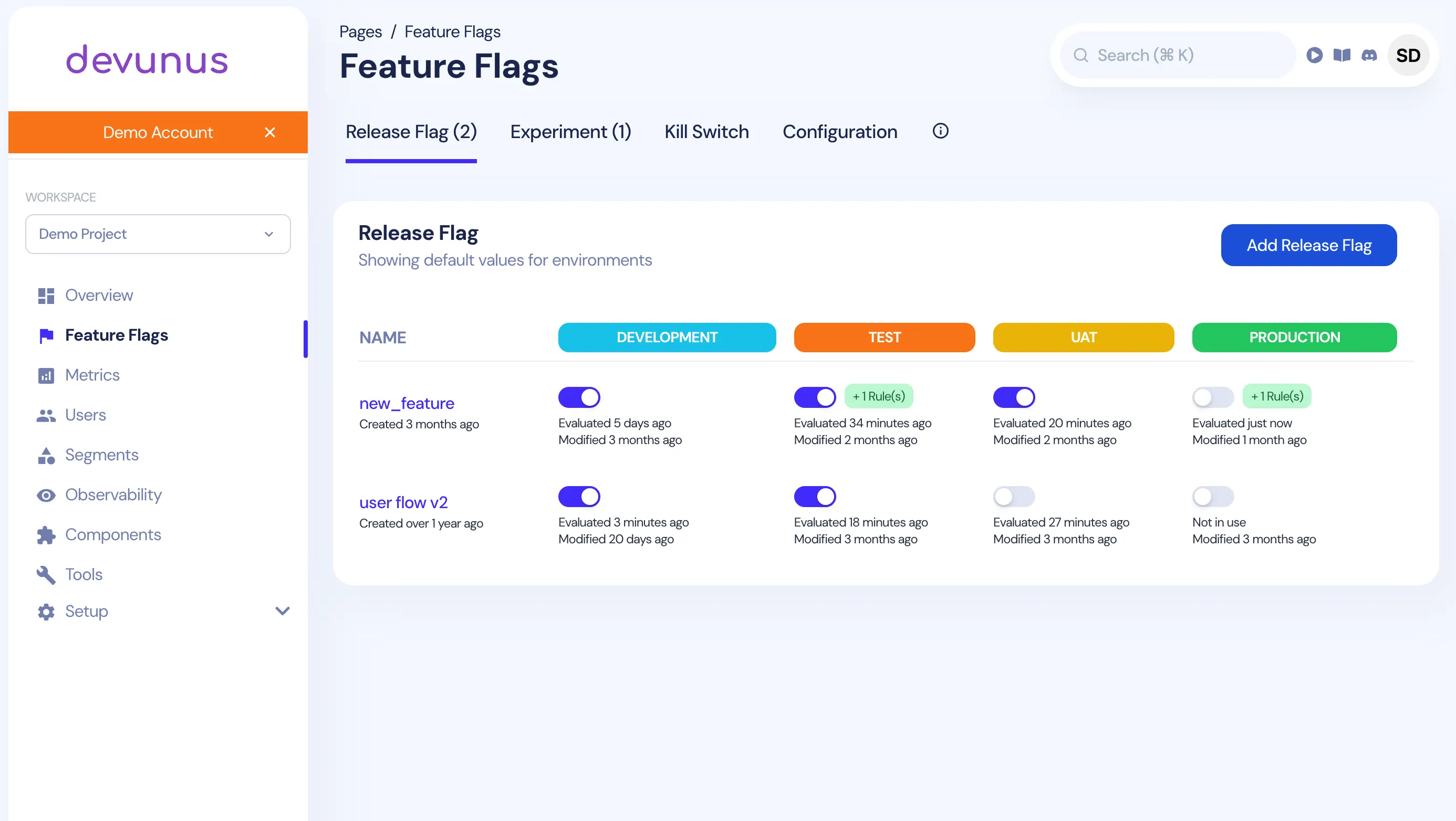
Transform Your Development Process
Accelerate innovation, reduce risk, and deliver exceptional user experiences with enterprise-grade feature flags
Risk-Free Deployments
Deploy with confidence in production environments through gradual, controlled rollouts to specific user segments. Start with internal teams, expand to beta users, then progressively release to your entire user base. Our kill-switch technology allows you to instantly disable problematic features without disruptive rollbacks, reducing incident response time by up to 90%. Real-time monitoring provides immediate insights into feature performance and user impact.
Precision User Targeting
Deliver tailored experiences to specific user segments with surgical precision. Target by user attributes, demographics, behavior patterns, or custom rules. Our advanced segmentation engine supports gradual percentage rollouts, beta user groups, geographic targeting, and enterprise account management, all without changing a single line of code.
Data-Driven Experimentation
Optimize your product with enterprise-grade A/B testing capabilities. Our statistical engine automatically tracks key metrics for each variant, providing real-time conversion data and confidence intervals. Companies using Devunus for experimentation report an average 23% improvement in user engagement.
Accelerated Continuous Delivery
Decouple deployments from releases to achieve true CI/CD excellence. Ship code to production behind feature flags daily or hourly instead of weekly release cycles. Our enterprise customers have increased deployment frequency while reducing lead time from commit to production, all while maintaining exceptional stability and reliability.
Why Choose devunus Feature Flags?
Join hundreds of teams using devunus to deploy with confidence and deliver better software faster.
Zero-Risk Deployments
Deploy code to production without exposing features to users. Instantly disable problematic features without rolling back entire deployments.
Powerful A/B Testing
Test different variations of features with real users. Make data-driven decisions about which features to launch based on actual performance.
Progressive Delivery
Roll out features gradually to specific user segments. Start with internal teams, then beta users, and finally full production rollout.
Enterprise Security
Enterprise-grade security with granular role-based access control, comprehensive audit logging, and advanced security features.
Integrated Analytics
Built-in analytics to measure feature performance, user adoption, and business impact. Make informed decisions about feature rollouts.
Developer Experience
Simple SDK integration, comprehensive documentation, and excellent developer support. Get started in minutes, not hours.
Simple Implementation
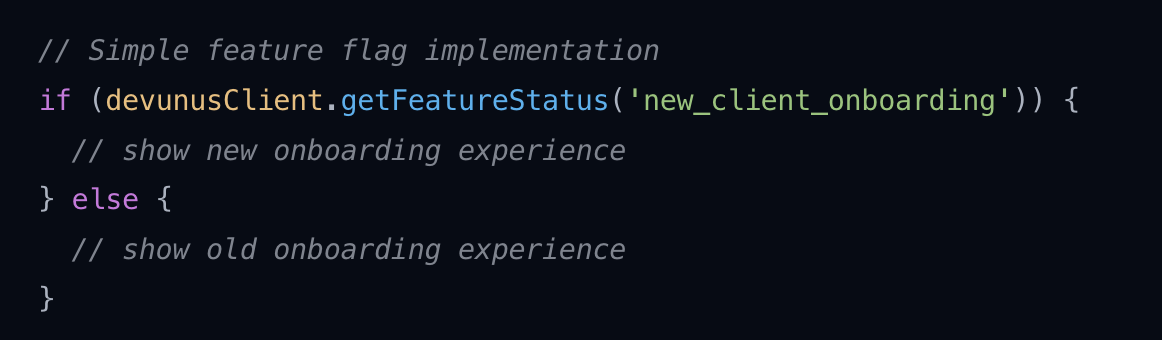
Integrate feature flags into your application with just a few lines of code.
Powerful Yet Simple
Our lightweight SDK makes it easy to implement feature flags in any application. With minimal code changes, you can control feature rollouts, conduct A/B tests, and manage user experiences.
- Minimal performance impact
- Real-time push updates
- Comprehensive SDKs for all major platforms
Comprehensive Flag Types
Devunus offers four distinct flag types designed to address different use cases and scenarios
Release Flag
Manage deployment risks with phased rollouts. Target specific users, companies, segments, or control through percentage-based releases.
- • Boolean return value
- • Temporary use
- • Risk-free deployments
- • Gradual exposure control
Experiment
A/B test features with metric tracking. Compare variations to determine the most effective implementation for your users.
- • Metric association
- • Short-term use
- • Performance comparison
- • Data-driven decisions
Kill Switch
Emergency shutdown capability for features linked to external dependencies or maintenance. Ensures application continuity during outages.
- • Boolean return value
- • Permanent design
- • Emergency control
- • System protection
Configuration
Real-time changes to application features or settings without code deployments. Enable or disable features for specific users or segments.
- • Real-time updates
- • No deployment needed
- • User targeting
- • Dynamic configuration
Enterprise Solutions
How leading enterprises are solving complex challenges with Devunus feature flags
Reducing Release Risk
Enterprise teams use Devunus to safely deploy new features to production without risking system stability. By gradually rolling out changes to small user segments first, teams can identify and fix issues before they impact the entire user base.
This approach has helped our enterprise customers reduce production incidents while increasing deployment frequency.
- Canary releases
- Kill switches for emergency shutdowns
- Automated rollbacks
Personalized User Experiences
Enterprise companies use Devunus to deliver tailored experiences to different user segments. By controlling feature access based on user attributes, companies can create premium tiers, regional offerings, and personalized experiences.
Our enterprise customers have seen up to 30% higher engagement and 25% improved conversion rates through targeted feature releases.
- Personalized user experiences
- Targeted feature releases by user segment
- Premium feature management
Global Reliability and Security at Scale
Enterprise-grade infrastructure you can depend on

300+ Global Edge Locations
Devunus delivers through our globally distributed edge network with 300+ locations worldwide, ensuring ultra-low latency responses no matter where your users are located.
- <50ms response times globally
- 99.99% uptime guarantee
- Automatic failover and redundancy
- Enterprise-grade security & compliance
- Real-time data processing across all regions
Superior Developer Experience
Built by developers, for developers
Quick Setup
Get up and running in minutes with our simple SDK integration. Just a few lines of code to start using feature flags in your application.
Unit Testing Support
Comprehensive testing utilities make it easy to mock feature flags in your unit and integration tests, ensuring reliable test coverage.
Intuitive Dashboard
Manage all your feature flags through our intuitive dashboard with real-time analytics, user targeting, and A/B test results.
Get Started with Feature Flags
Ready to implement feature flags in your project? Our comprehensive guide will walk you through the process step by step.
Frequently Asked Questions
Get answers to the most common questions about feature flags and A/B testing.
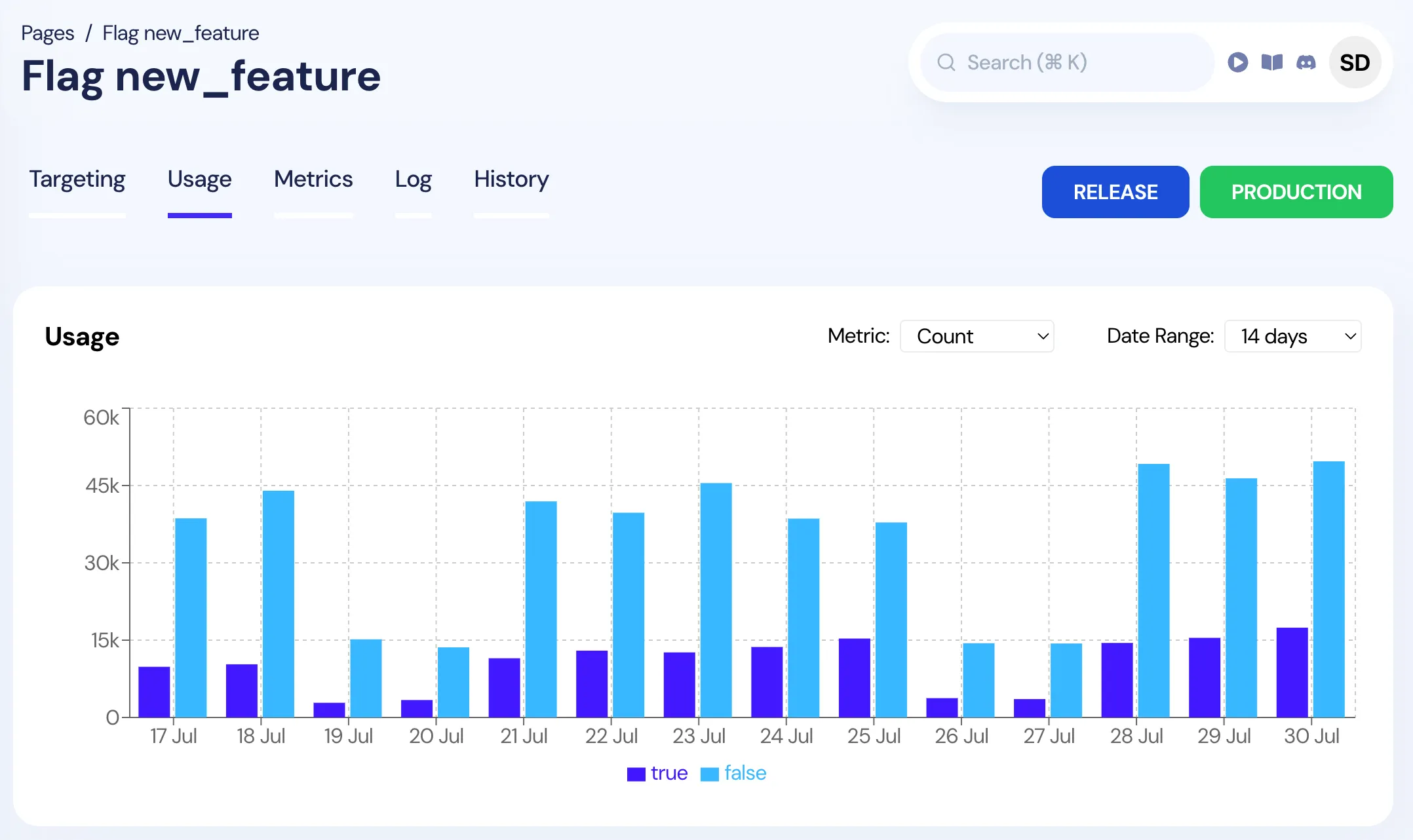
Feature Flag Dashboard
See how teams are using feature flags to control deployments and manage feature rollouts in real-time.
What are feature flags?
Feature flags (also known as feature toggles or feature switches) are a software development technique that allows you to enable or disable functionality without deploying new code. They act as conditional statements that determine which code path executes at runtime, enabling teams to control feature releases, conduct A/B tests, and manage deployments more safely.
When should I use feature flags?
Use feature flags when you want to: separate releases from deployments, conduct A/B testing, implement gradual rollouts, create kill switches for emergency rollbacks, test in production safely, target specific user segments, or manage feature lifecycles. They're particularly valuable for continuous delivery and reducing deployment risks.
How do feature flags improve deployment safety?
Feature flags improve deployment safety by allowing you to deploy code to production without immediately exposing new features to users. If issues arise, you can instantly disable problematic features without rolling back entire deployments. This reduces downtime, minimizes user impact, and gives teams confidence to deploy more frequently.
What's the difference between feature flags and A/B testing?
Feature flags are the infrastructure that enables A/B testing. While feature flags control whether features are enabled, A/B testing uses feature flags to randomly assign users to different variations of a feature to measure performance. Feature flags can exist without A/B testing, but A/B testing requires feature flags to function.
How do I implement feature flags in my application?
To implement feature flags: 1) Choose a feature flag platform like devunus, 2) Install the SDK, 3) Initialize the client with your project credentials, 4) Wrap feature code in conditional statements, 5) Create flags in your dashboard, 6) Deploy code with flags disabled, 7) Gradually enable flags for testing and rollout.
What are the best practices for feature flag management?
Best practices include: using descriptive flag names, implementing proper cleanup procedures, monitoring flag performance, documenting flag purposes, using consistent naming conventions, implementing proper fallbacks, testing flag logic thoroughly, and regularly auditing unused flags to prevent technical debt.
How do feature flags work with microservices?
In microservices architectures, feature flags can be implemented at multiple levels: service-level flags control entire service deployments, API-level flags manage endpoint availability, and client-level flags control UI features. Each service can have its own flag configuration while maintaining consistency across the system.
What's the performance impact of feature flags?
Modern feature flag platforms like devunus have minimal performance impact, typically adding less than 50ms to response times. The impact is reduced through caching, edge computing, and optimized SDKs. The performance benefits of safer deployments and faster iteration typically outweigh the minimal overhead.
How do feature flags help with continuous delivery?
Feature flags enable continuous delivery by decoupling deployment from release. Teams can deploy code continuously to production while keeping features disabled until ready for release. This allows for faster feedback loops, reduced deployment risks, and the ability to release features independently of deployment schedules.
What metrics should I track with feature flags?
Key metrics to track include: flag usage rates, user adoption, performance impact, error rates, conversion rates, user engagement, rollback frequency, deployment success rates, and business impact metrics like revenue or user satisfaction. These help optimize flag strategies and measure ROI.
How do I migrate from one feature flag platform to another?
To migrate feature flag platforms: 1) Export your current flag configurations, 2) Map flag names and rules to the new platform, 3) Implement the new SDK alongside the existing one, 4) Test both systems in parallel, 5) Gradually switch traffic to the new platform, 6) Remove the old implementation once verified.
What security considerations should I have with feature flags?
Security considerations include: encrypting flag configurations, implementing proper access controls, auditing flag changes, securing API endpoints, validating user context, preventing flag manipulation, monitoring for suspicious activity, and ensuring compliance with data protection regulations like GDPR.
How do feature flags work in mobile applications?
Mobile feature flags work similarly to web applications but with additional considerations: offline functionality, app store approval processes, and device-specific targeting. Flags are typically evaluated on app startup and cached locally, with periodic updates to ensure users have the latest configurations.
What's the difference between client-side and server-side feature flags?
Client-side SDKs run in web/mobile applications and are designed for single-user contexts. They receive pre-computed flag evaluations with obfuscated names and include user session tracing for errors, network requests, and logs. They fallback to cached configs using local storage during failures. Server-side SDKs handle multiple users, load config at startup with periodic updates from the devunus platform, and perform all flag evaluations on your own server for maximum security and performance.
How do I handle feature flag dependencies?
Handle feature flag dependencies by: documenting dependencies clearly, using flag hierarchies, implementing dependency validation, testing dependency scenarios, using feature flag management tools that support dependency tracking, and creating rollback plans that consider dependent flags.
Ready to Get Started?
Join hundreds of teams using devunus to deploy with confidence, conduct A/B tests, and deliver better user experiences.
Ready to create better products?
Unlock insights, drive growth, and make data-driven decisions with our powerful product analytics and customer profiles. Identify issues before they impact your users.